
Join the Open Alliance
Why we’re building in the open — as rookies — from day one
The FTC Open Alliance calls itself “the home of open and collaborative robotics for FIRST Tech Challenge.” It’s a community of teams who agree to build their robots in the open — posting CAD, code, build logs, strategy notes, and engineering notebook entries publicly throughout the season so any other team in the world can learn from them.
It’s also now a fiscally-sponsored nonprofit, with partners like Studica Robotics, FUN Robotics Network, and Chief Delphi.
The Two-Way Deal
Membership comes with two obligations that go together. The Open Alliance puts it plainly: teams should share “both successful progress and frustrating challenges.” Highlight reels alone don’t cut it.
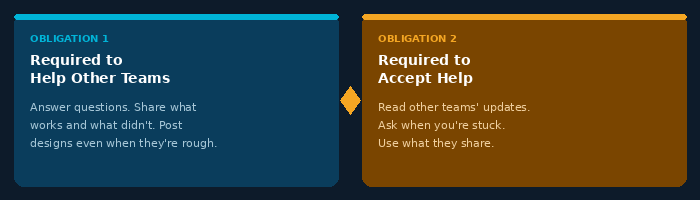
“Teams should share both successful progress and frustrating challenges.”
— FTC Open Alliance
What This Means for Us as a Rookie Team
Being new is exactly when this matters most. We don’t have years of past designs to copy from, mentors who’ve seen every problem, or a parts shelf of things-that-worked-last-year.
The Open Alliance is the closest thing to instant institutional knowledge a rookie team can get — and we plan to lean on it heavily this season.
Bonus: you don’t even have to be a member to read what Alliance teams post, so we can start learning right now.
How to Join
Joining is mostly a commitment to share publicly, then registering with the Alliance. The three-step setup is shown below:
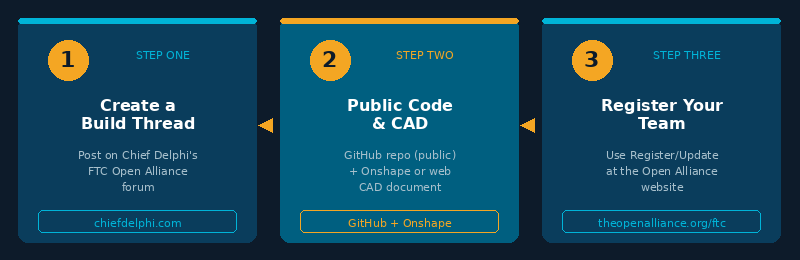
Step 1 — Create a Build Thread
Post your team’s public log on Chief Delphi’s FTC Open Alliance forum. This is your team’s living record — updated regularly throughout the season.
Step 2 — Set Up Public Code & CAD
Create a public code repository on GitHub (the Alliance has its own GitHub organization for reference) and a publicly viewable CAD document on Onshape or another web-based CAD platform.
Step 3 — Register Your Team
Register at theopenalliance.org/ftc using the Register/Update button. You’ll provide the links above plus team and robot info that feeds the public data visualizer and API.
Ongoing Expectations
From there the expectations are simple:
Post regular updates — weekly or biweekly is the norm throughout the season.
Share the real stuff — failures included, not just the polished wins.
Answer questions when other teams ask, even if you’re not yet the expert in the room.
The Payoff
If we hold up our end, the Open Alliance turns the whole community into our extended team.
There’s also an FTC Open Alliance Show on YouTube via FUN Robotics Network if we want to be featured on it later in the season.
That’s a deal worth taking.
Ready to Build in the Open?
Explore the Open Alliance and follow our team’s public build thread throughout the season.